
Welcome!
This quick guide walks you through registering your Courie account and setting a password, so you’re ready to start using the portal with confidence.
Step 1: Go to the link your Courier provider shared. The web address starts with portal.courie.ai.
Bookmark this page for fast access later.
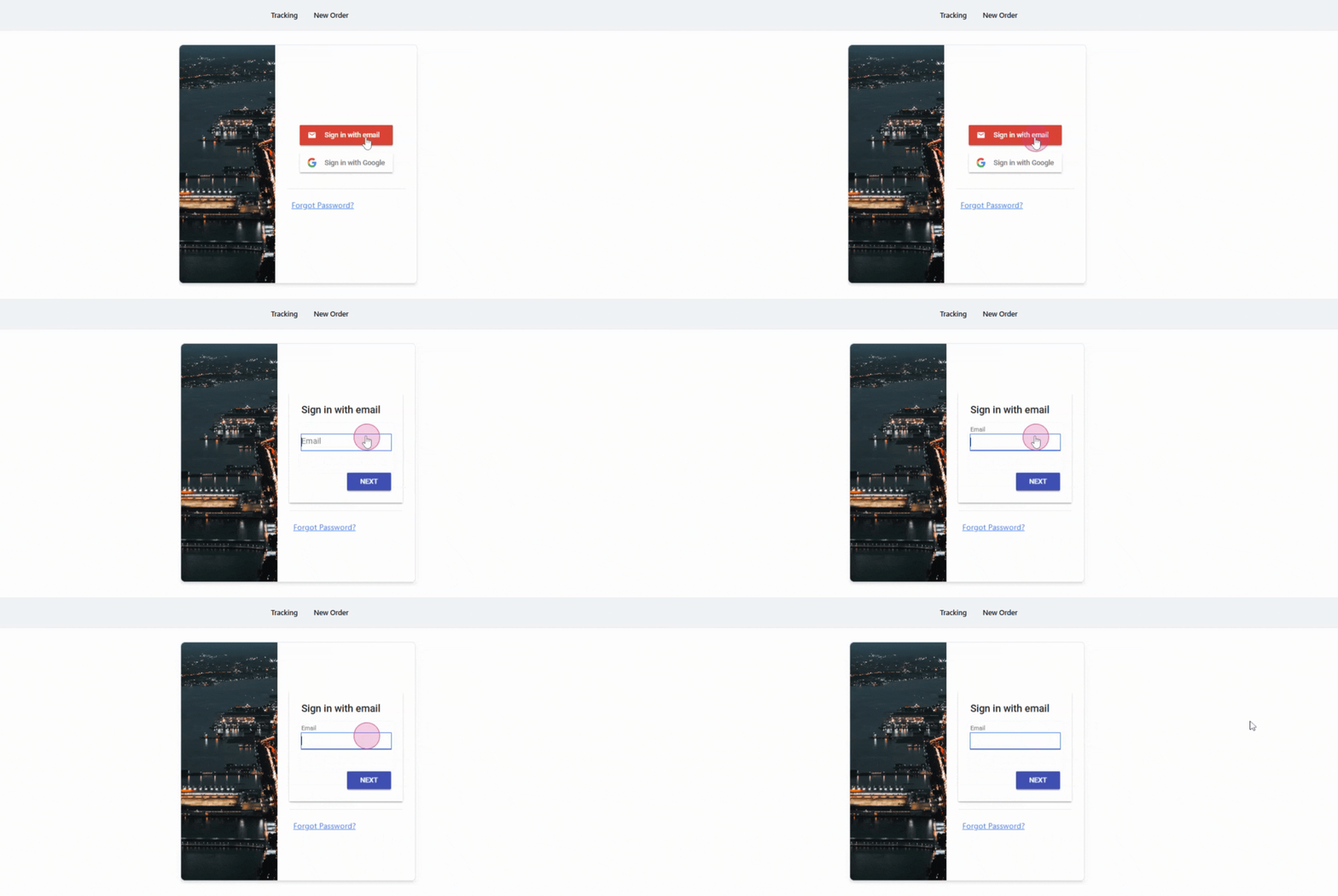
Step 2: Select Sign in with email
Step 3:
Enter your email address in the field provided.
Step 4:
After you have entered your email address, click the "Next" button. You will then be prompted to provide your first and last names.
Step 5:
Create a strong password for your account.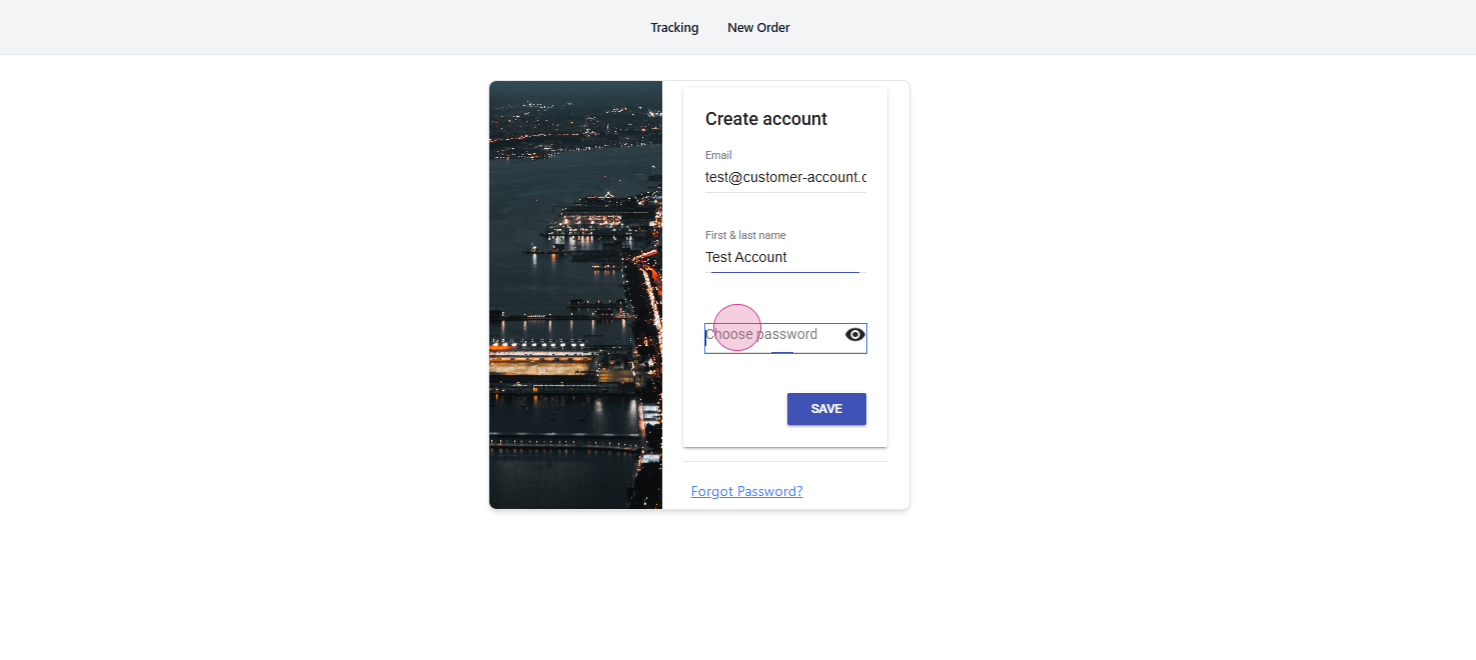
Step 6:
Double check the information entered, then hit Save.
You’re all set! Your account registration is complete. Log in any time at your bookmarked page to continue.